Toolhouette · USA only
Custom insert for Pelican Vault V300

 by LaserBone Designs
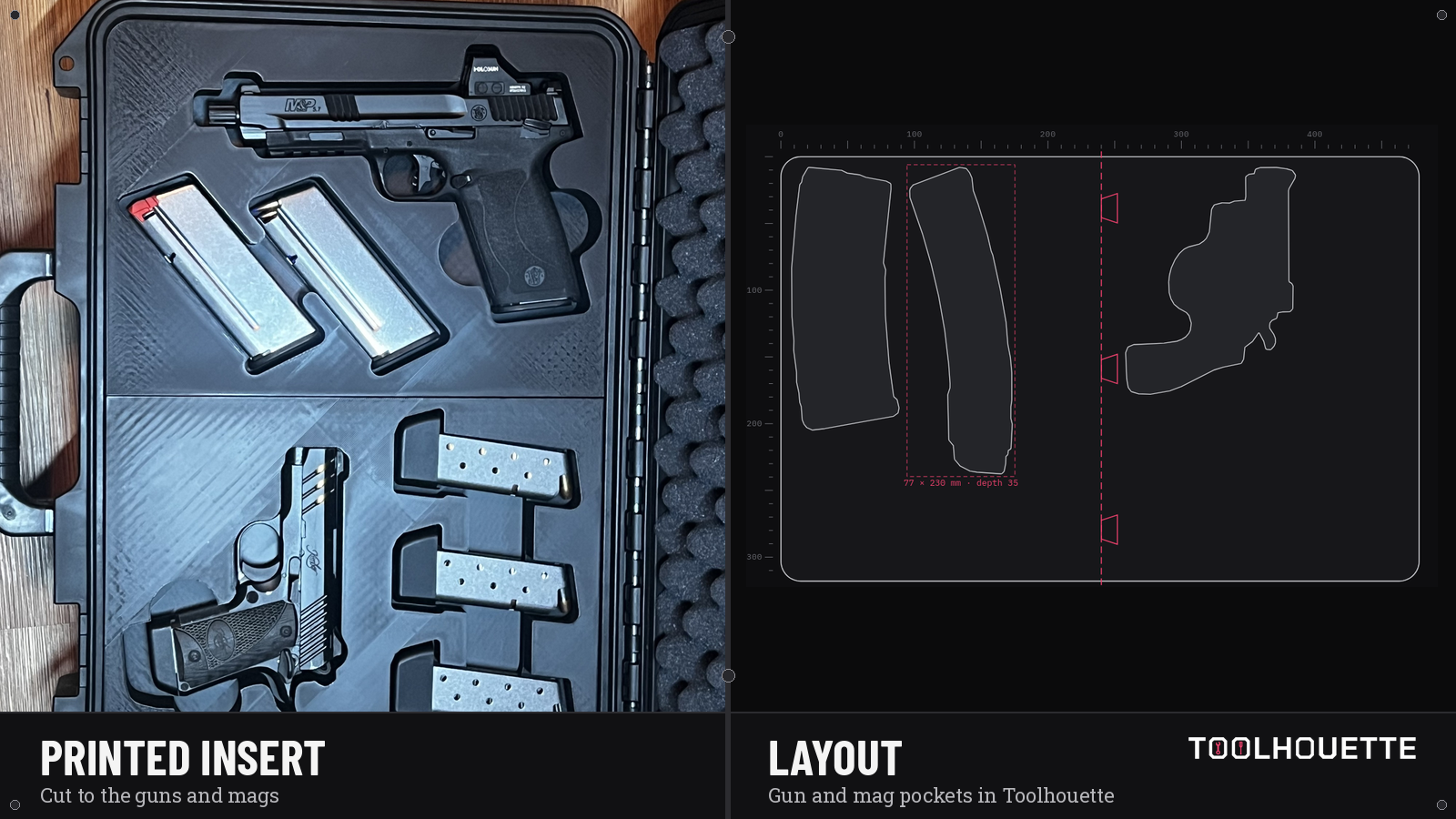
Replace stock foam in a Pelican Vault V300 with a custom 3D-printed insert cut to your guns and magazines. Photograph them, lay out the pockets in Toolhouette, then print with LaserBone or export the STL.
Members sign in to design.
For Pelican Vault V300. Not affiliated with or endorsed by Milwaukee Tool, Pelican Products, VEVOR, or any firearm maker. Trademarks belong to their owners.
Why owners replace foam
Stock foam works for a generic fit. A Toolhouette insert is built from overhead photos of your firearms and mags — pocket depth, clearance, and finger notches you set before you print. Inserts are for storage and transport only. Check fit before use.
Layout flow in Toolhouette
- 1
Open Toolhouette and sign in. Choose Pelican Vault, then the V300 model.
- 2
Photograph each gun and mag on a plain white Letter or A4 sheet. Shoot straight down with all four corners in frame.
- 3
Arrange pockets, rotate to fit, set depth and Clearance (default 1.5 mm), add finger notches, Build 3D preview.
- 4
Export the STL / print-ready zip, or request a LaserBone print through the custom quote.
What you get
- A 3D-printed insert (LaserBone print, USA shipping) or downloadable STL / print-ready zip
- Pockets traced from your gear
- Member design in the browser — Open Toolhouette
Tracing and arranging are free. Coin costs for saves and downloads are on pricing.
Related case inserts
Also supported in Toolhouette (not separate SEO pages here): Pelican Protector, and other listed hard cases on the homepage.
TOOLHOUETTE NOTICE Check fit before use · storage and transport only · For Pelican Air, Protector, Storm and Vault V300 cases, the VEVOR Rifle Hard Case 40" and Weatherproof Hard Case 15", and PACKOUT-compatible organizers. Not affiliated with or endorsed by Milwaukee Tool, Pelican Products, VEVOR, or any firearm maker. Trademarks belong to their owners. · follow your local laws.
Online only. Ships inside the USA. No international orders.